Vocabulary app for any language
Learn the vocabulary you actually need.
Paste a text, a word list or a photo of a menu, or describe a situation. LexiPack turns it into your own word pack and gives you the right practice at the right time.
See how it worksNo card needed · Takes a minute · One account on iPhone and the web
You paste
«Vorrei un caffè e un cornetto, per favore.»
An example to show the idea. The real app works with any words in your language pair.
Your words, not a generic list
Learn what you are about to use
Ever memorised a list and never met half of those words again? Ready-made lists teach words you may never need. With LexiPack the words come from your own life.
Reading a book or an article
Paste a page. LexiPack picks the words worth learning and skips the ones you already know from context.
Going somewhere new
Describe it, like opening a bank account, or photograph a menu. Get a short dialogue with the words you will need.
Preparing for a lesson or exam
Paste your teacher's list, import a spreadsheet or bring your flashcard deck. It all lands in one place.
Picking words from texts, photos, PDFs, spreadsheets and decks, and describing a situation, are on Pro. Pasting a word list is free.
Simple by design
Three steps. You never write a card.
- 1
Add what you need
Paste it, type it or photograph it. It takes a few seconds.
- 2
Your pack builds itself
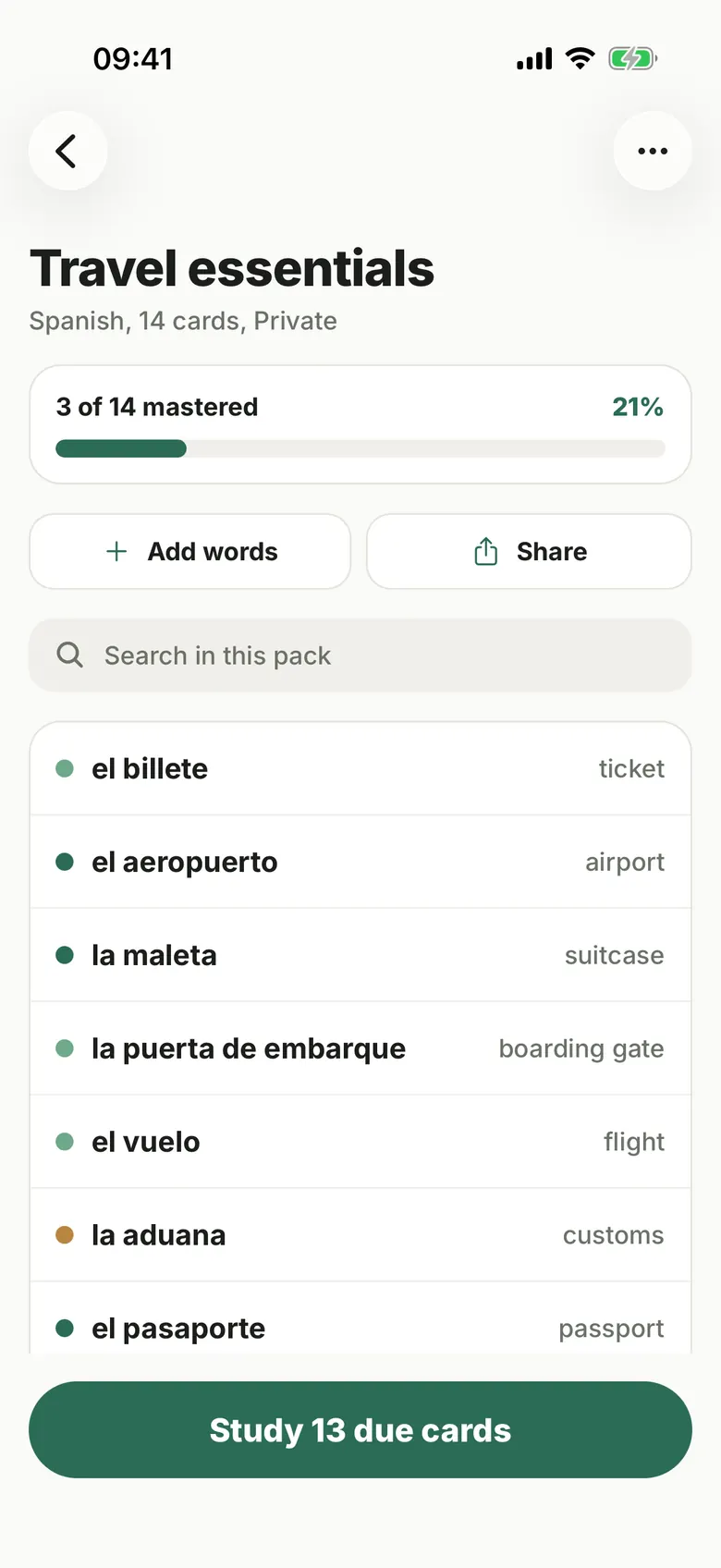
Every word gets a translation, pronunciation and an example sentence.
- 3
Practise for a few minutes
Tap one button. LexiPack shows you the words that are due today.
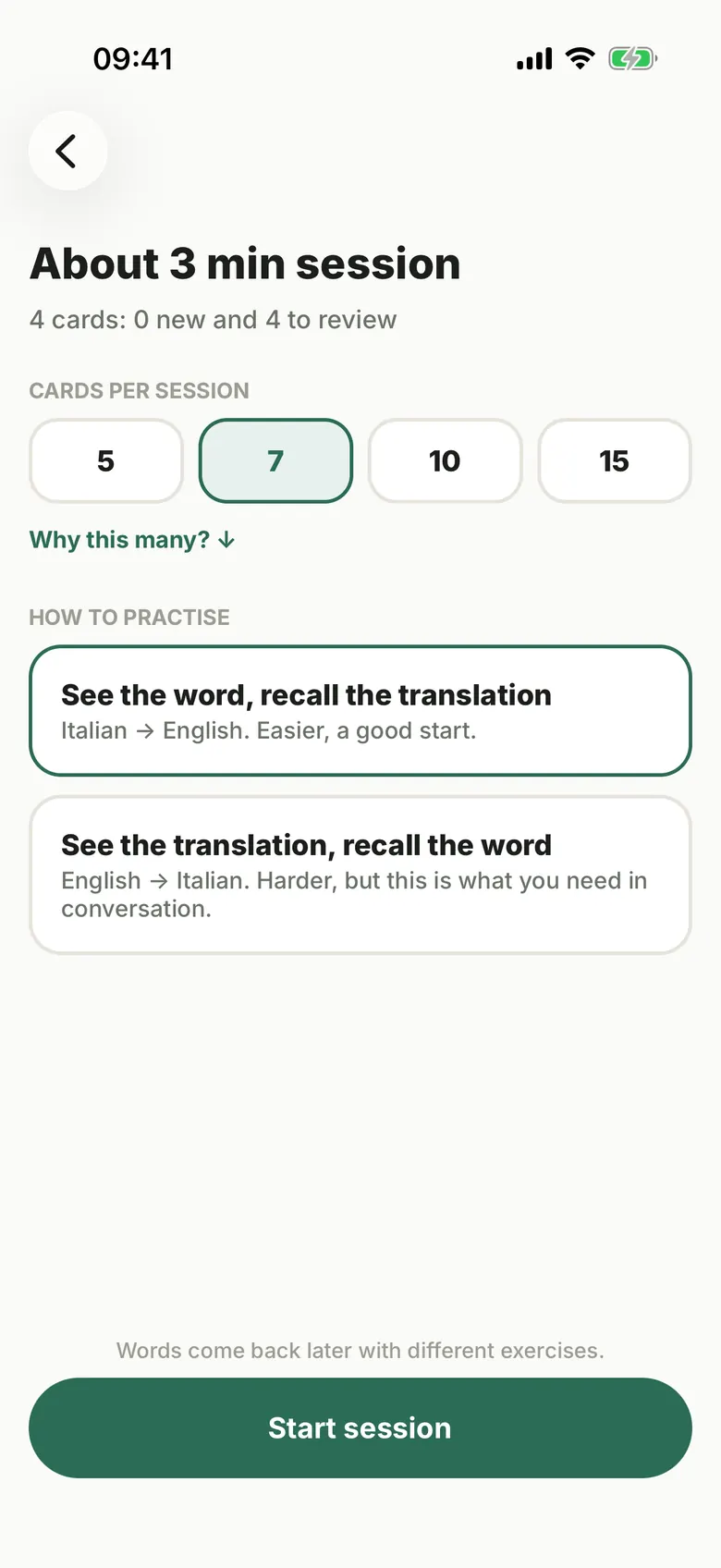


Screens from the app, demo account.
Practice that adapts
Each word gets the right exercise at the right time
A new word starts easy: you pick the answer. As it settles, you have to recall it yourself. You never choose a mode, LexiPack does. Later on, words appear inside sentences: fill the gap or build the whole sentence.


Marked a word Hard? Your next practice round moves it to a harder exercise.
Spaced repetition
Words come back right when you need them
Words you know well come back after weeks. Words you miss come back sooner. You never decide what to review.
Next review, example
Illustration of the idea. Real intervals depend on how well you know each word.
Fits your day
Five minutes is enough. And you see it working.
Pick 5, 7, 10 or 15 cards a session. Today shows what is due and how close you are to your goal. Statistics show how many words have moved from New to Mastered. In the iOS app, a daily reminder helps you keep your streak.


Screens from the app, demo account after three weeks of daily practice.
Add words from
Your data, your words
No ads. No tracking. Not for sale.
A study app sees how you think. Here is what that means for you.
Analytics only if you opt in
We never use ad tracking or session recording.
Your packs stay private
Nothing is visible to anyone unless you share it. Sending a link never puts a pack in a public catalogue.
You are the customer
LexiPack earns money from Pro subscriptions. Your words are never sold or used for ads.
Pricing
Start free. Upgrade when you outgrow it.
- 2 languages
- 5 packs per language
- 100 cards per pack
- All exercise modes
- Pack sharing + subscriber sync
- Basic streak tracking
- Unlimited languages and packs
- Unlimited cards per pack
- Import words from text, PDFs, photos, spreadsheets, deck files and described situations
- AI picks the words worth learning from any text
Cancel anytime.
Questions
Answers in plain words
What is LexiPack?
LexiPack is a vocabulary app that turns any text, word list, photo or situation into your own word pack, then schedules practice with spaced repetition. You can share packs with anyone by link. It works in the browser and as an iOS app.
How do I learn only the words I need?
Add your own material: paste a text, a word list or a photo, or describe a situation. LexiPack builds the pack from it, so you practise the words from your reading, trip or lesson, not a generic list.
How does spaced repetition work here?
Each word comes back at a growing interval, just before you would forget it. LexiPack times every card with FSRS, an open spaced-repetition algorithm, and raises the exercise difficulty as the word settles.
Can I share a pack with students or friends?
Yes. Turn on sharing for a pack and send the link. Whoever opens it can add the pack to their own library and practise with their own progress, while your pack stays yours. You can also list a pack in Explore so anyone can find it. Packs imported from a spreadsheet or a flashcard deck stay private.
Which languages does LexiPack support?
English, Spanish, French, German, Portuguese, Japanese, Italian, Korean, Polish and Ukrainian. Any of them can be your native language. The interface is available in English and Ukrainian.
How is it different from a regular flashcard app?
You do not write the cards or pick the exercises. LexiPack fills in translations, pronunciation and examples, and changes the exercise as you learn. You can import an existing deck.
Is it free? Is there an iPhone app?
There is a free plan with no card needed, and you can cancel Pro anytime. The iOS app is on the App Store, and your account, packs and progress sync with it.
Start with the words you need today
Paste a text or a list and see your first pack in a minute.
Start free with my wordsNo card needed · Takes a minute